Step 1: Download the Mod Pack
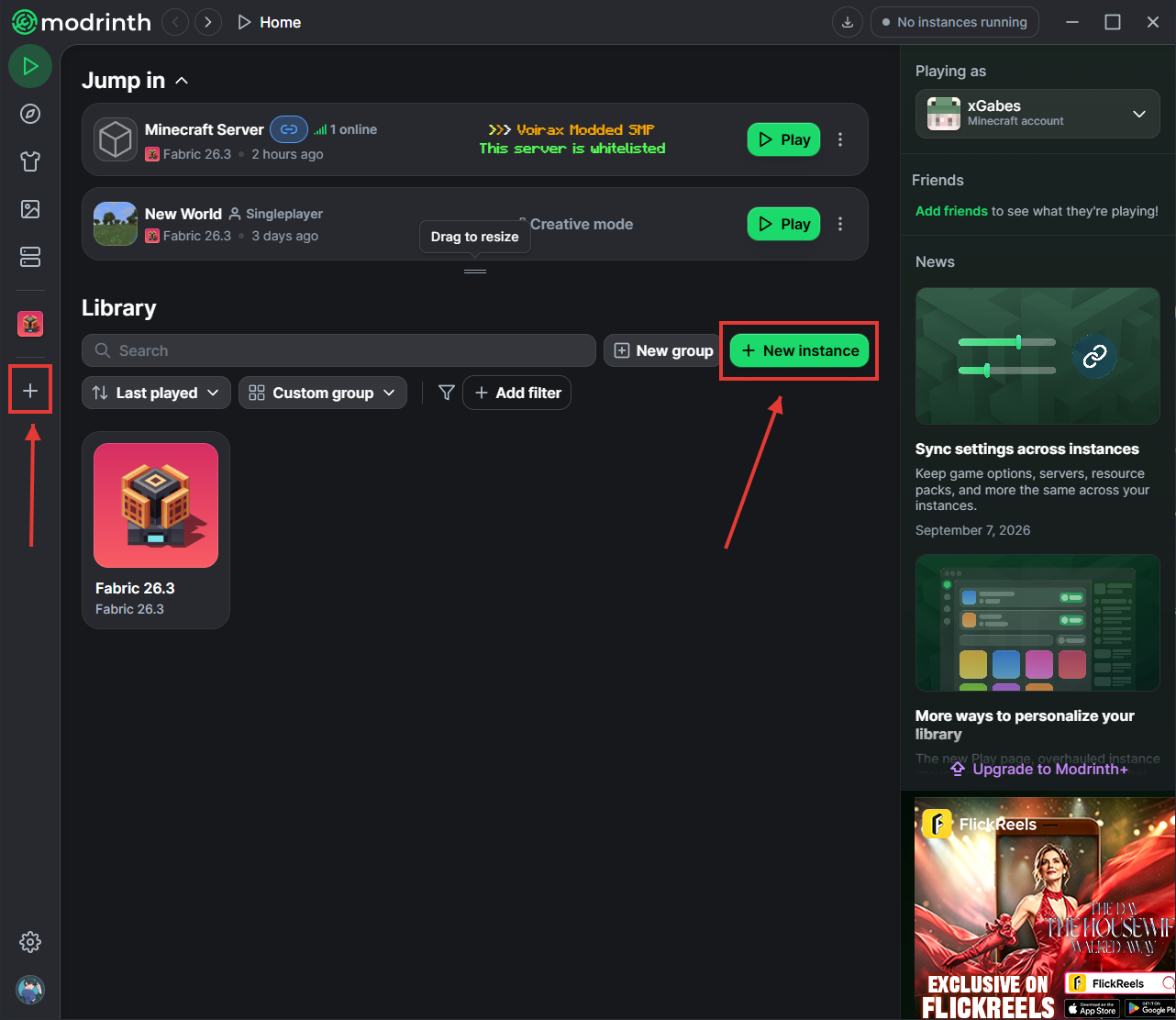
Step 2: Open Modrinth and click ''Create Instance''
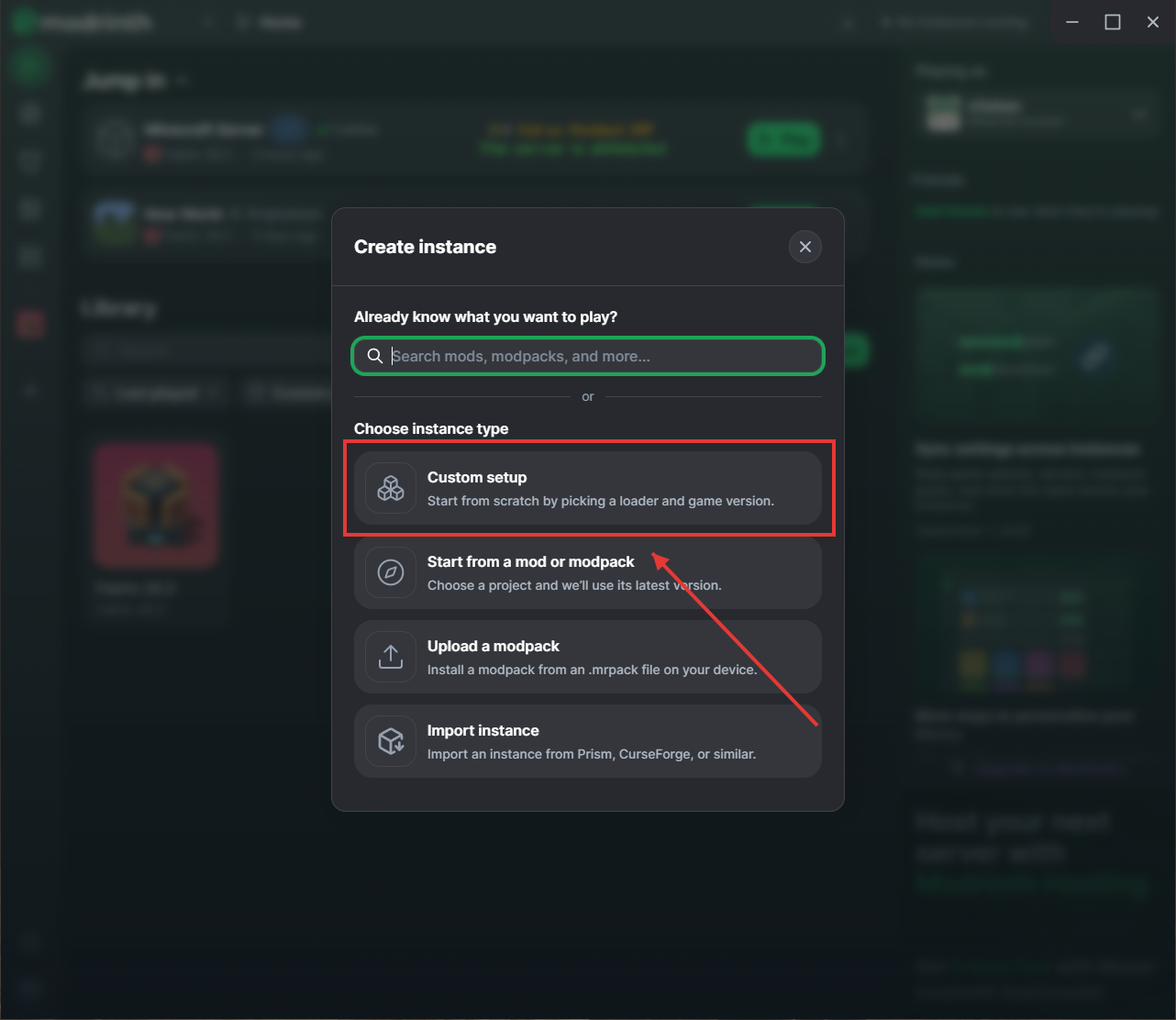
Step 3: Select ''Custom Setup''
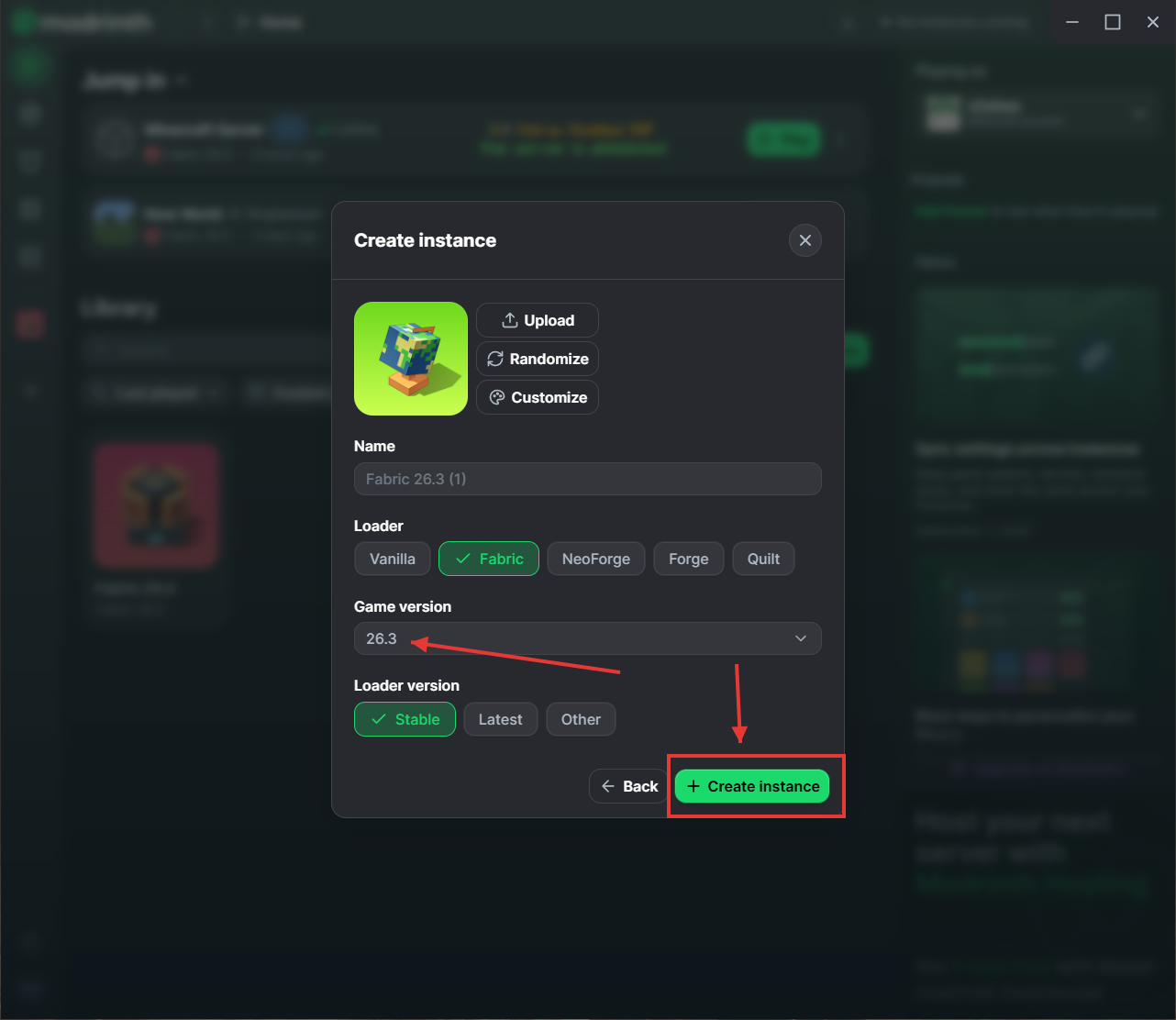
Step 4: Verify the correct server version & click ''Create Instance''
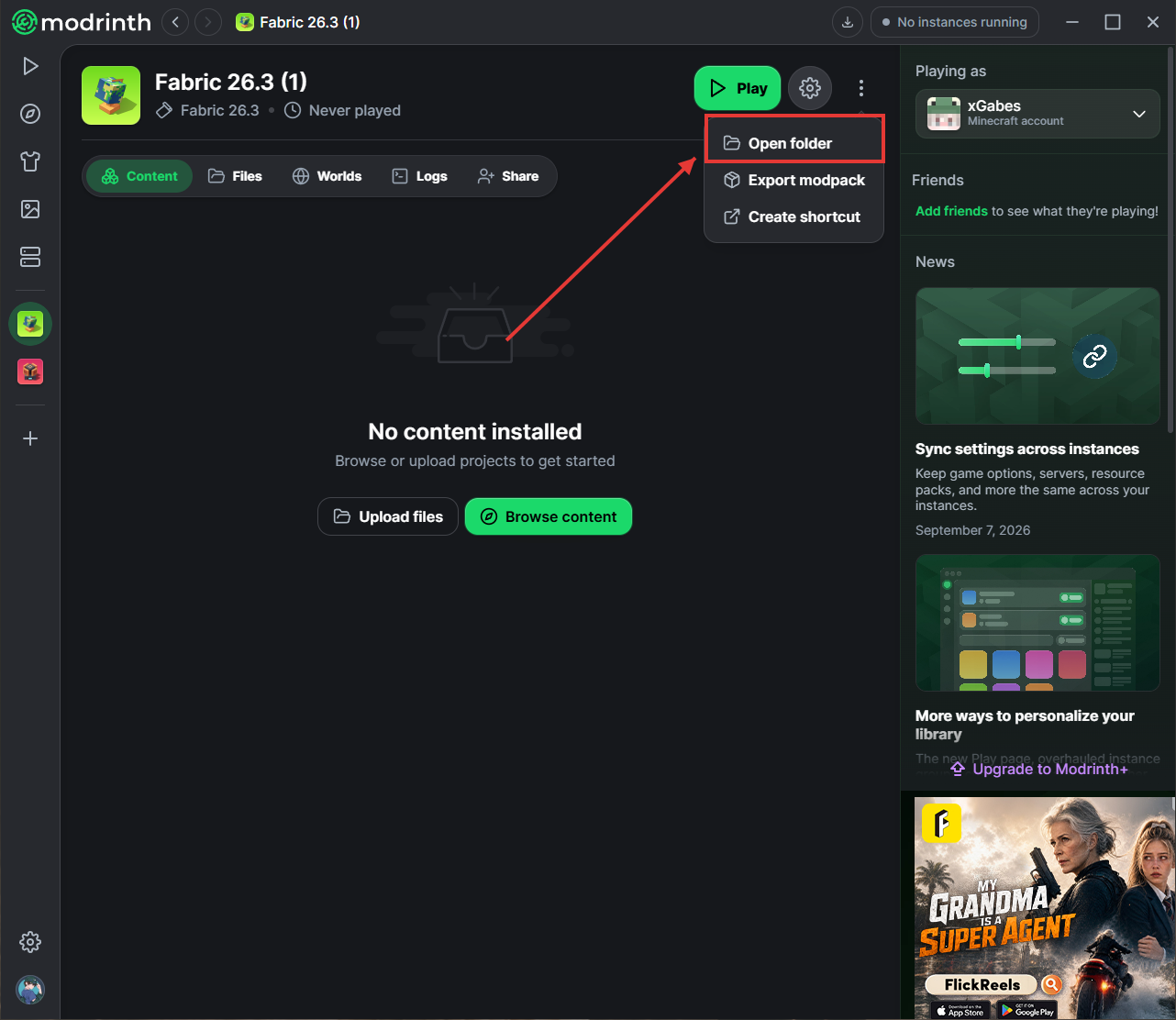
Step 5: Click the Settings icon and select ''Open Folder''
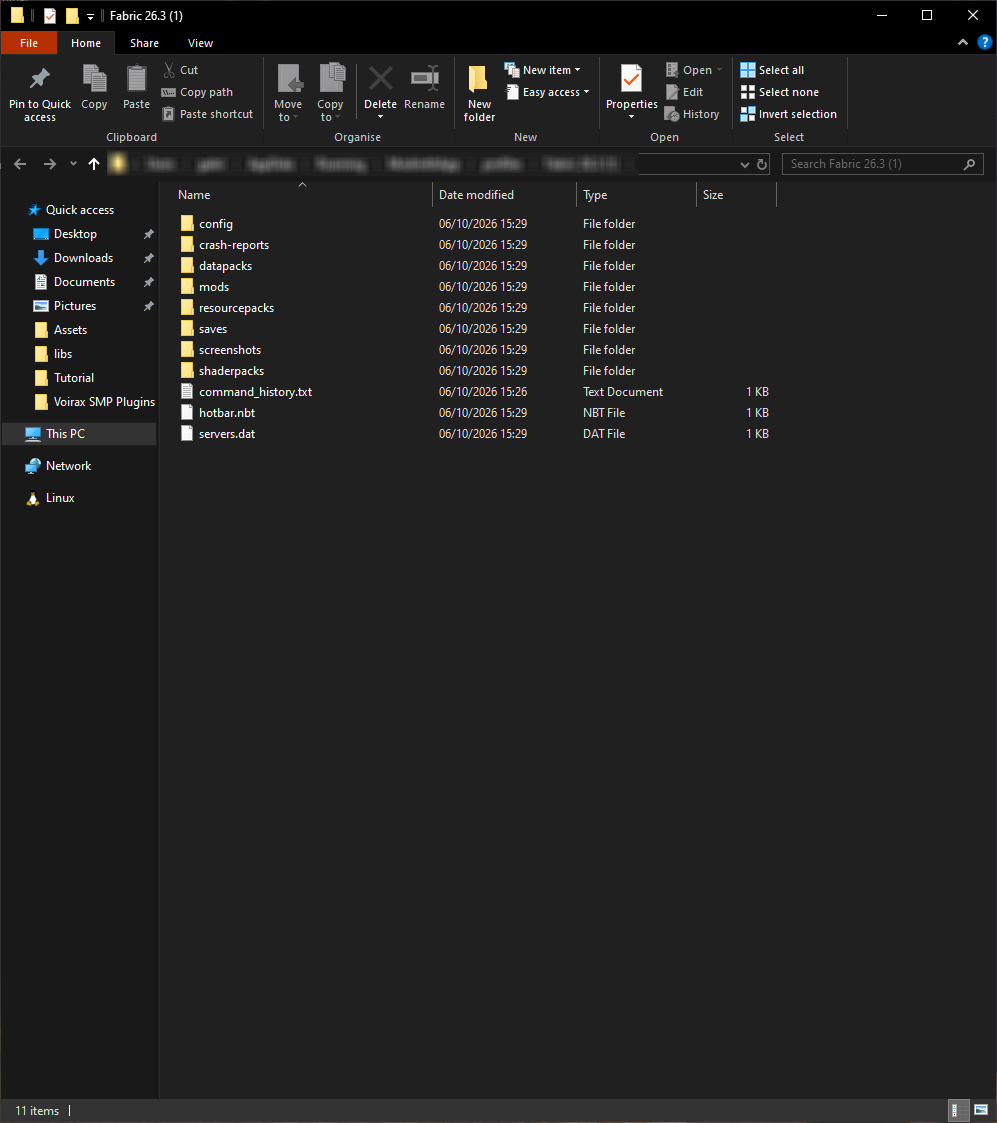
Step 6: You should see this folder
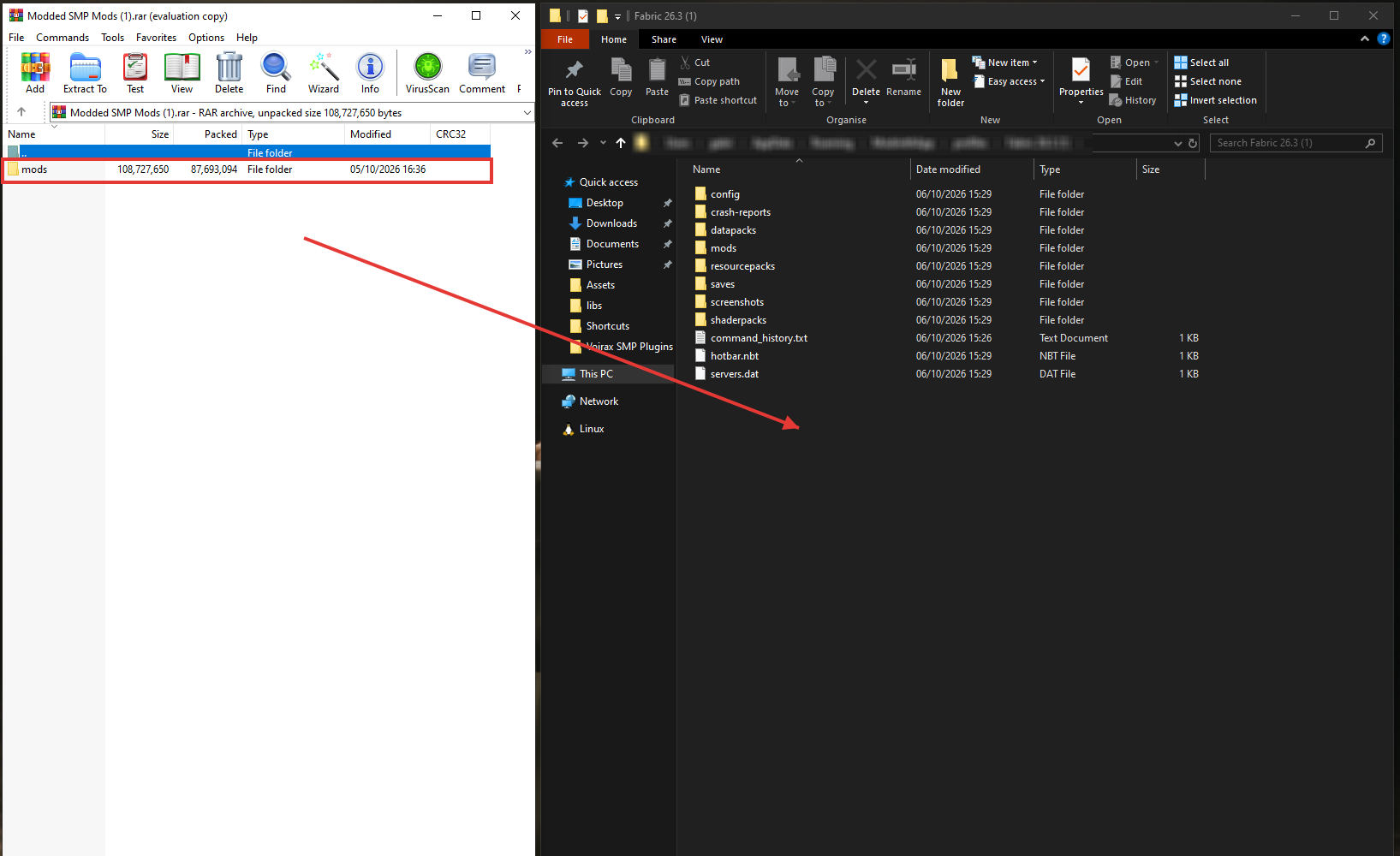
Step 7: Drag & Drop the ''mods'' folder from the .rar file into the opened Modrinth Folder
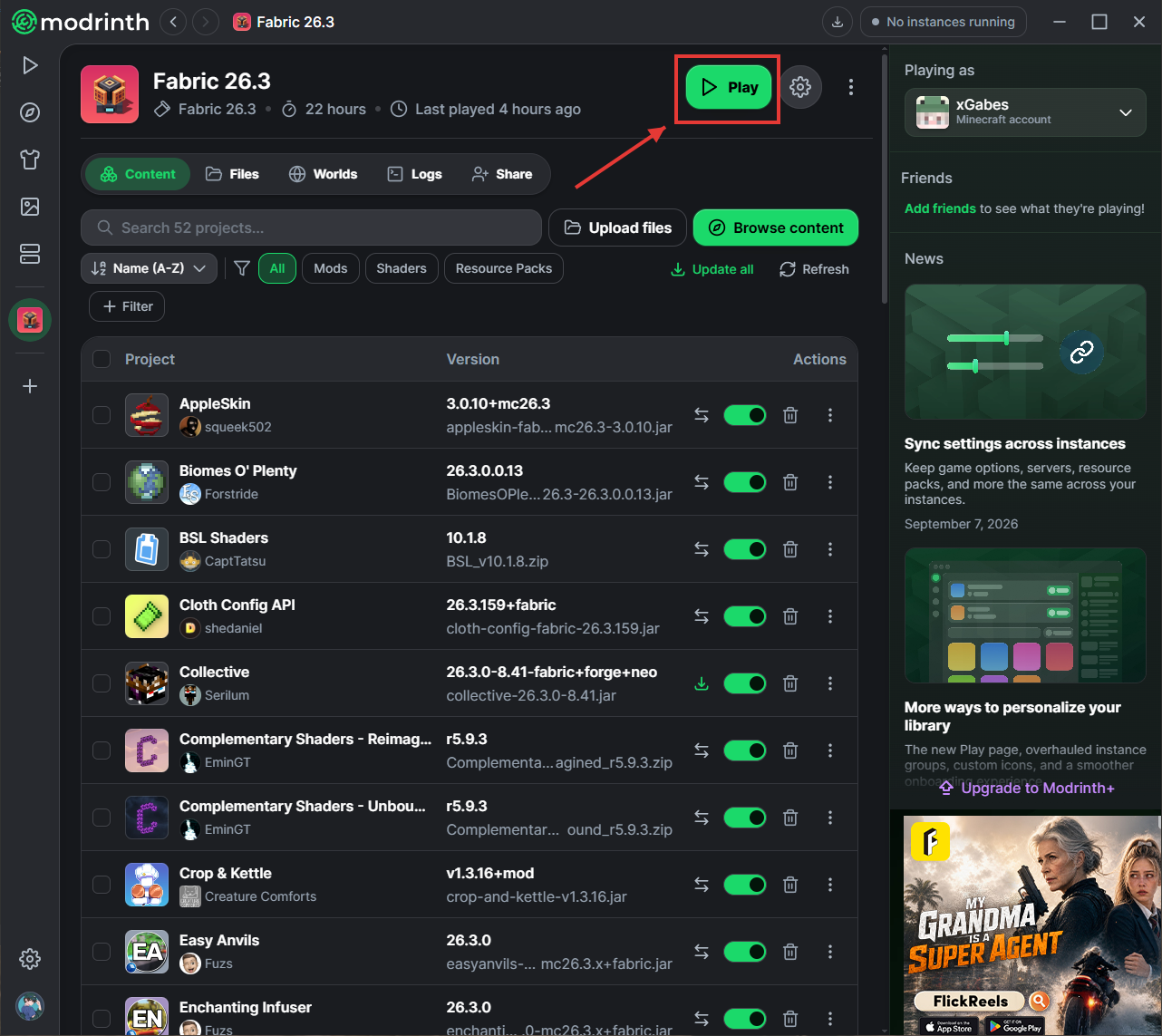
Step 8: Return to Modrinth and you should see all your mods. Click ''Play''
Step 8: Under Multiplayer, click ''Add Server'' and type the IP address:
mc.voirax.com